
Backup router configurations
Introduction
Actually there are several other Autobackup ways on Mikrotik such as:
- Auto Backup Mikrotik Configuration with Script and Scheduler
Send Automatic Mikrotik Backup via Email
This Mikrotik tutorial describes, how to backup and export files that have been generated are uploaded to a folder on the FTP Server automatically and on a scheduled basis. So that the backup & export files uploaded to FTP will be neatly organized, easy to find, and fast to use.
Architecture overview
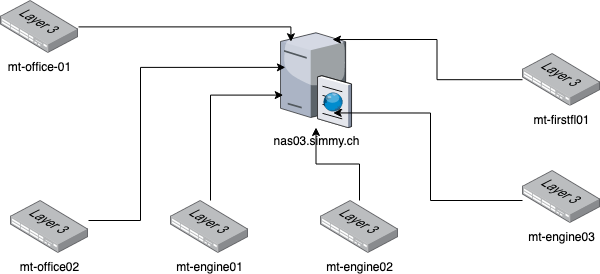
Send Backup Files to FTP Server Automatically
https://digiva.net/mikrotik-autobackup-send-backup-file-to-ftp-server-automatically/
Script to create backup files
Create user ftp_user on nas03.simmy.ch and link it to a home/ftp directory
create directory mikrotik in the ftp home directory
Go to the System menu –> Scripts –> Add a new script –> Name autobackup –> in the Source column, fill in:
/system backup save name=("BACKUP" . "-" . [/system identity get name] . "-" . \
[:pick [/system clock get date] 4 6] . [:pick [/system clock get date] 0 3] . [:pick [/system clock get date] 7 11]);

/export file=("BACKUP" . "-" . [/system identity get name] . "-" . \
[:pick [/system clock get date] 4 6] . [:pick [/system clock get date] 0 3] . [:pick [/system clock get date] 7 11]);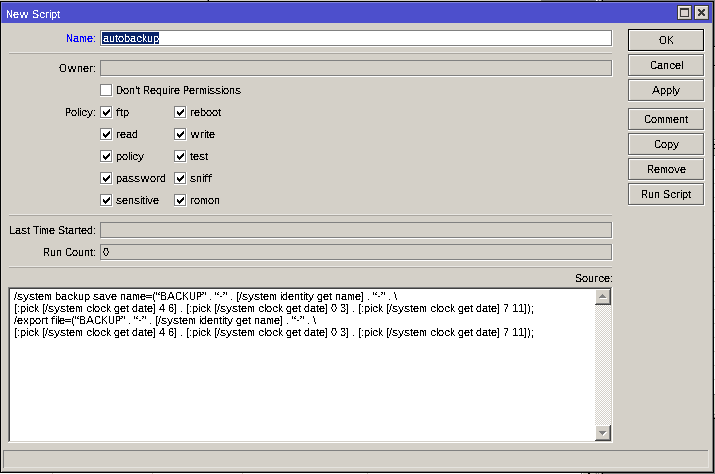
Script to upload backup Backup files to backup server
Go to the System menu –> Scripts –> Add a new script –> Name uploadbackup–> in the Source column, fill in:
:global backupname ("BACKUP" . "-" . [/system identity get name] . "-" . \
[:pick [/system clock get date] 4 6] . [:pick [/system clock get date] 0 3] . [:pick [/system clock get date] 7 11] . ".backup");

/tool fetch address=nas03.simmy.ch mode=ftp user=ftp_user password=<super-secret-password> src-path=$backupname dst-path="mikrotik/$backupname" upload=yes
Or create one script:
:global backupname ("BACKUP" . "-" . [/system identity get name] . "-" . \
[:pick [/system clock get date] 4 6] . [:pick [/system clock get date] 0 3] . [:pick [/system clock get date] 7 11] . ".backup");

/tool fetch address=nas03.simmy.ch mode=ftp user=ftp_user password=<super-secret-password> src-path=$backupname dst-path="mikrotik/$backupname" upload=yes

:global backupname ("BACKUP" . "-" . [/system identity get name] . "-" . \
[:pick [/system clock get date] 4 6] . [:pick [/system clock get date] 0 3] . [:pick [/system clock get date] 7 11] . ".rsc");

/tool fetch address=nas03.simmy.ch mode=ftp user=ftp_user password=<super-secret-password> src-path=$backupname dst-path="mikrotik/$backupname" upload=yes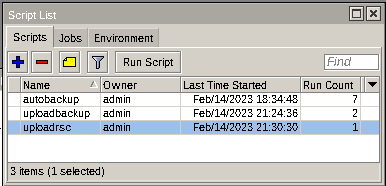
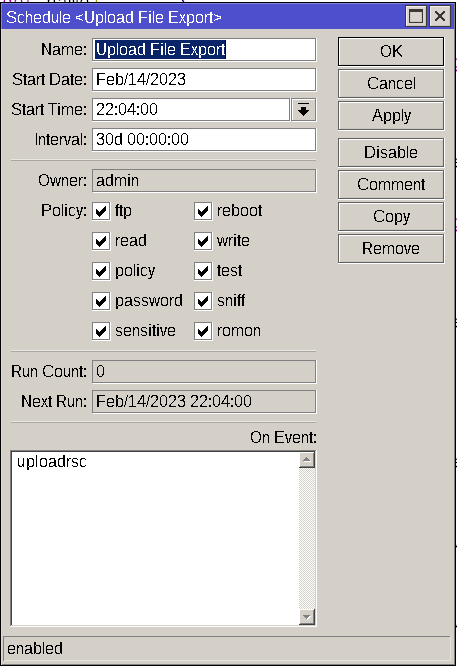
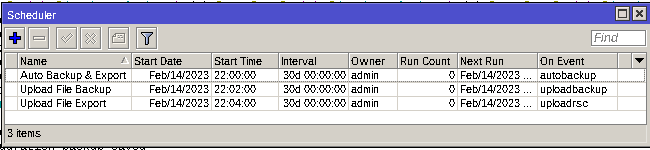
Schedule the scripts
|
|
|
No Comments